How to Choose the Best SEO Reporting Software for Clear, Actionable Results
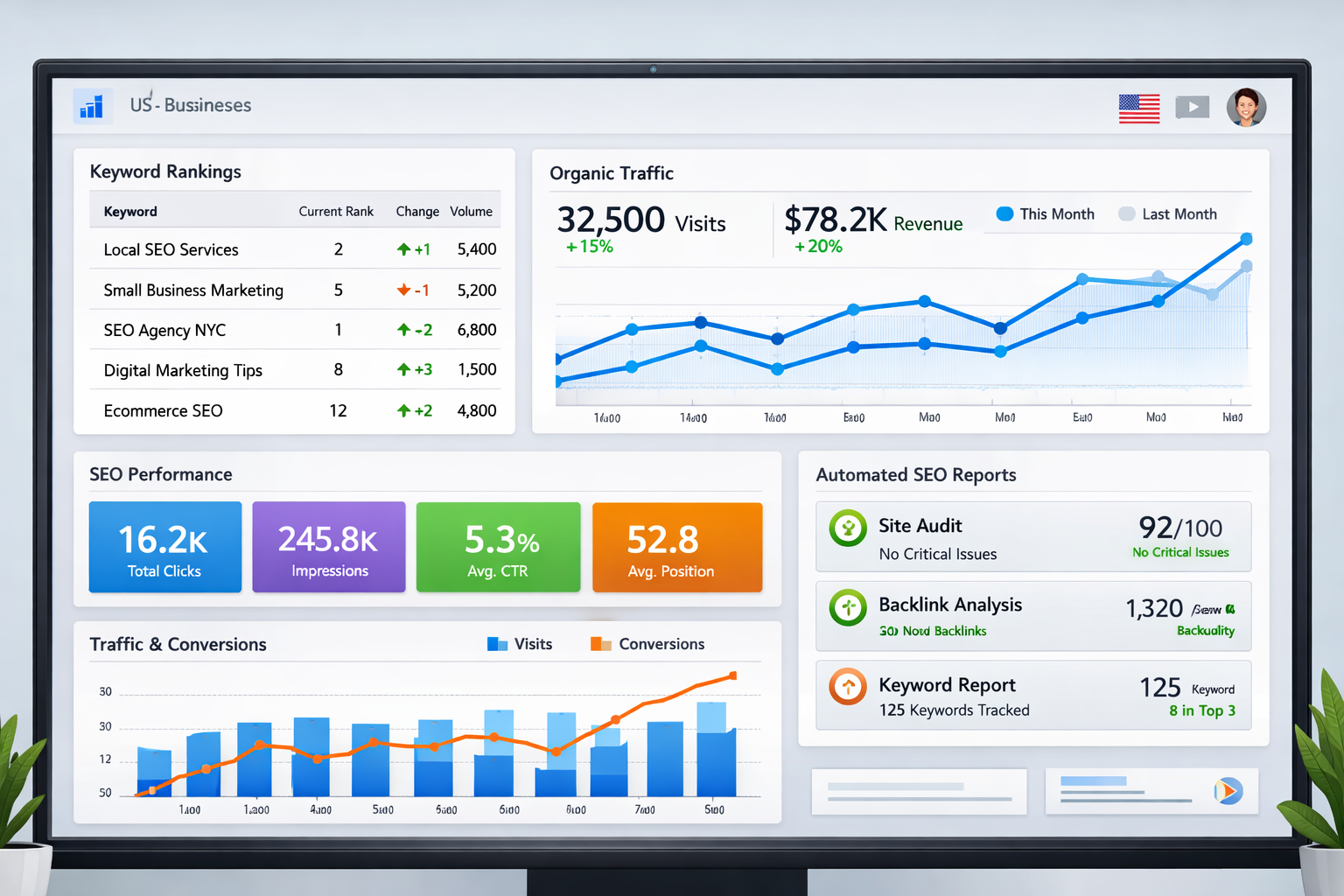


If you’ve ever struggled to explain SEO results clearly, whether to a client, a stakeholder, or your internal team, you’re not alone. SEO data is powerful, but without the right reporting system, it quickly becomes fragmented, overwhelming, and hard to interpret. Rankings, traffic, backlinks, conversions, and technical metrics all matter, yet manually pulling reports wastes time and increases the risk of errors.
This is exactly why choosing the best SEO reporting software is so important. The right platform doesn’t just collect data, it tells a story. It shows progress, highlights opportunities, and proves ROI in a way that decision-makers can easily understand. For US-based businesses and agencies, effective reporting is often the difference between retaining clients and losing them.
In this guide, you’ll learn:
- What SEO reporting software actually does
- Which features matter most for US businesses
- How to evaluate tools based on real needs
- Common mistakes to avoid before committing
By the end, you’ll be equipped to choose SEO reporting software that supports growth, transparency, and smarter decision-making.
What SEO Reporting Software Really Does
SEO reporting software collects, organizes, and visualizes SEO performance data in one centralized system. Instead of juggling spreadsheets, screenshots, and multiple tools, an SEO reporting platform automates the process and presents insights in real time.
At its core, the best SEO reporting software tracks keyword rankings, organic traffic, backlinks, technical health, and conversions. For US businesses, this often includes local SEO visibility, mobile performance, and Google-centric metrics.
Key benefits include:
- Centralized performance visibility
- Automated report generation
- Easy-to-read dashboards for non-technical users
- Time savings through data integration
Many modern SEO reporting tools for agencies also offer white-label features, allowing agencies to present professional, branded reports to clients.
Step One: Define Your Reporting Goals
Before comparing tools, define what success looks like. SEO reporting software should support your goals, not dictate them.
For US businesses, goals often include:
- Increased organic traffic
- Improved local search visibility
- Clear attribution to leads or revenue
Agencies typically prioritize SEO client reporting tools that deliver recurring reports, clean dashboards, and client-friendly summaries. E-commerce brands may focus on keyword-to-revenue tracking.
Ask yourself:
- Who will read the reports?
- Which KPIs matter most?
- How often should reports be delivered?
When goals are clear, selecting the best SEO reporting tools becomes far more straightforward.
Step Two: Evaluate Data Accuracy
Accuracy is non-negotiable. Even the most visually impressive SEO dashboard software is useless if the data isn’t reliable.
High-quality platforms pull data directly from trusted sources like Google Analytics, Google Search Console, and reputable keyword databases. In competitive US markets, even small ranking changes can impact revenue, making accurate data essential.
Reliable SEO reporting software provides:
- Frequent data updates
- Transparent data sources
- Historical comparisons
Many businesses validate accuracy by comparing reports against established platforms such as Semrush, which is widely trusted for keyword and competitive data.
Step Three: Prioritize Automation Features
Manual reporting limits scalability. Automation is one of the most important features separating average tools from the best SEO reporting software available today.
An automated SEO reporting tool allows you to schedule reports weekly or monthly, ensuring stakeholders always stay informed. This is especially valuable for agencies managing multiple campaigns.
Look for automation features such as:
- Scheduled report delivery
- Custom report templates
- Automatic data syncing
- Alerts for ranking or traffic changes
Automation not only saves time, it ensures consistency across every report.
Step Four: Assess Dashboard Customization
Not every audience needs the same information. Executives prefer high-level insights, while SEO specialists want granular data.
The best SEO reporting software offers customizable dashboards with flexible layouts and widget selection. For agencies, white label SEO reporting software is often essential to maintain brand consistency.
Customization should include:
- Metric selection control
- Chart and visualization options
- Branding with logos and colors
Customized dashboards improve clarity and make SEO insights more actionable.
Step Five: Confirm Integration Capabilities
SEO reporting is most effective when connected to your broader marketing ecosystem.
Strong SEO reporting software integrates with:
- Google Analytics and Search Console
- Google Ads and Bing Ads
- CRM and marketing automation tools
- Popular SEO platforms
For US businesses running multi-channel strategies, integrations help connect SEO performance to conversions and revenue.
Step Six: Compare Scalability Options
Your needs today may not match your needs a year from now. Scalability ensures your SEO reporting platform grows with your business.
The best solutions support:
- Multiple websites or clients
- Expanding keyword tracking
- Role-based user permissions
- Flexible pricing tiers
Scalable tools prevent costly migrations later and support long-term growth.
Real-World Applications for US Businesses
A US-based digital agency may use white label SEO reporting software to deliver monthly reports across dozens of clients. Automated dashboards highlight keyword growth, traffic gains, and lead generation, building trust and improving retention.
An in-house marketing team may rely on SEO dashboard software to justify budgets and track progress internally. Clear reporting shows how SEO contributes to revenue and long-term brand visibility.
Agencies often showcase reporting capabilities as part of their service offerings, alongside their work and results highlighted in their portfolio and client success stories.
Best Practices and Common Mistakes
Choosing SEO reporting software is an investment. Following best practices helps maximize value.
Best practices:
- Focus on actionable metrics
- Keep reports simple and goal-driven
- Align dashboards with business objectives
- Test usability with free trials
Common mistakes to avoid:
- Overloading reports with unnecessary data
- Choosing tools without automation
- Ignoring scalability needs
Many agencies complement reporting tools with strategic insights shared through marketing strategy resources to help clients understand results.
Choosing Software That Fits Your Needs
Selecting the best SEO reporting software isn’t about choosing the tool with the most features, it’s about choosing the one that fits your workflow, goals, and audience.
For US businesses and agencies, strong SEO reporting builds trust, supports growth, and turns SEO into a measurable asset. By prioritizing accuracy, automation, customization, and scalability, you can make a confident, future-proof decision.
If you’re evaluating tools now, the next step is testing platforms that align with your reporting needs and service offerings, especially those that integrate seamlessly with your existing services.
Frequently Asked Questions About SEO Reporting Software
What is the best SEO reporting software for agencies?
The best option depends on client volume, automation needs, and white-label features. Agencies benefit from tools that support multiple clients and branded reports.
Can small businesses benefit from SEO reporting tools?
Yes. Small businesses gain clarity into performance, keyword growth, and ROI without manual tracking.
How often should SEO reports be generated?
Most US businesses prefer monthly reports, while weekly dashboards help monitor ongoing performance.
Is free SEO reporting software reliable?
Free tools can help with basic insights but often lack automation, customization, and scalability found in paid solutions.
Contact Us
